
Running a Shopify store today is not just about having great products. Customers expect pages to load instantly, images to appear smoothly, and checkout experiences to feel effortless. Even a small delay can push visitors away before they ever reach the cart.
That is why Shopify speed optimization has become such an important part of e-commerce growth. Store owners are constantly looking for tools that can improve loading times, reduce page weight, and create a faster shopping experience without breaking their theme or hurting functionality.
But here’s where many businesses get stuck: should you rely on free speed optimization tools, or are paid solutions actually worth the investment? The answer depends on your store size, goals, and how serious you are about long-term performance.
Why Shopify Store Speed Matters
Website speed affects more than just user experience. A slow Shopify store can lead to:
- Higher bounce rates
- Lower conversion rates
- Reduced mobile engagement
- Poor Core Web Vitals scores
- Slower search engine crawling
Fast-loading stores create smoother browsing experiences and help customers move through product pages more comfortably. This becomes especially important for e-commerce stores with large image galleries, apps, filters, and dynamic content.
Many Shopify merchants start with free tools because they are easy to access and often promise quick improvements. While some of these tools are genuinely useful, others only scratch the surface.
What Free Shopify Speed Optimization Tools Usually Offer
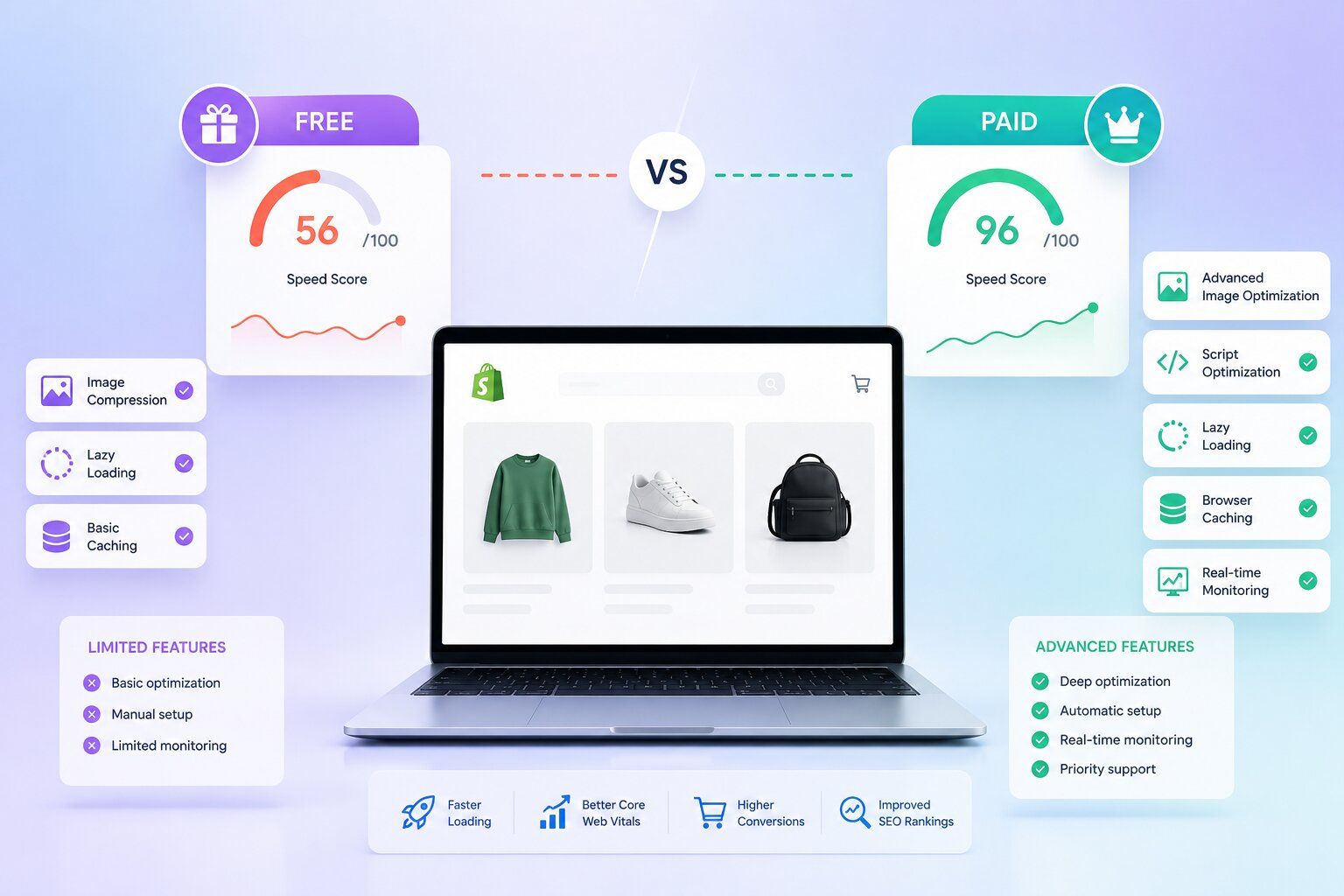
Free tools are a good starting point for smaller stores or businesses that are just beginning to focus on performance improvements. Most free Shopify performance optimization tools typically help with:
- Basic image compression
- Lazy loading setup
- Cache improvements
- Minifying CSS or JavaScript
- Speed testing reports
- Identifying large assets
These tools can often deliver noticeable improvements for newer stores with limited traffic and fewer installed apps. One major advantage is accessibility. Store owners can test performance improvements without committing to monthly subscriptions or development costs.
Free tools also help merchants better understand what may be slowing down their store. Some provide recommendations related to oversized images, unused scripts, or render-blocking assets. However, there is usually a limit to how deep these optimizations go.
The Limitations of Free Shopify Speed Tools
While free tools can help, they often focus on surface-level improvements rather than complete store optimization. For example, many free solutions cannot properly handle:
- Advanced code cleanup
- Third-party app conflicts
- Theme architecture problems
- Script prioritization
- Complex mobile performance issues
- Deep Core Web Vitals optimization
Some tools may also apply automatic optimizations that unintentionally affect layout stability or visual appearance.
Another common issue is that free tools usually work in isolation. They may compress images effectively but fail to address app bloat or excessive JavaScript requests, which are often bigger performance problems on Shopify stores.
As your store grows, these limitations become more noticeable.
Popular Shopify Speed Optimization Tools
- Website Speedy focuses on eCommerce speed optimization for popular platforms, including Shopify, through features such as script management, lazy-loading improvements, browser caching, asynchronous loading, render-blocking resources, image optimization, and mobile performance enhancements.
- PageSpeed Insights helps store owners identify Core Web Vitals issues, render-blocking resources, and overall page performance problems. It is commonly used for basic diagnostics and performance monitoring.
- GTmetrix provides speed reports, waterfall analysis, and loading behavior insights that help merchants understand how scripts and assets affect performance.
- Booster: Page Speed Optimizer is commonly used by Shopify merchants for image compression, page caching, and basic storefront performance improvements aimed at faster loading experiences.
What Paid Shopify Speed Optimization Tools Do Differently
Paid solutions are generally designed for stores that want deeper and more consistent performance improvements.
Instead of focusing on a single issue, premium tools often analyze the entire storefront experience. This includes theme structure, script loading, app behavior, image delivery, and mobile responsiveness.
Many paid platforms offer features such as:
- Advanced image optimization
- Script deferral and sequencing
- Real-time monitoring
- Core Web Vitals tracking
- Critical CSS generation
- App impact analysis
- CDN enhancements
- Performance audits
Some premium services also include manual optimization support from developers who understand Shopify architecture. This is especially valuable because Shopify stores often slow down due to installed apps rather than the platform itself.
A professional optimization process can help identify unnecessary scripts, duplicate functionality, or apps that heavily affect rendering speed.
When Are Paid Shopify Speed Optimization Tools Worth It?
Free tools are often enough for smaller Shopify stores with lightweight themes, minimal apps, and basic functionality. In many cases, simple improvements like image optimization, removing unused apps, and cleaner product pages can deliver solid speed gains without additional costs.
However, as e-commerce stores grow, performance challenges become more complex. Stores relying heavily on conversions, organic traffic, personalization apps, upsells, reviews, or advanced filtering often benefit more from paid Shopify store speed optimization tools.
Even small improvements made to increase website speed can positively impact mobile engagement, customer retention, product discovery, and checkout completion rates.
Free vs Paid Shopify Speed Optimization: Direct Comparison
So, Which Option Should You Choose?
There is no universal answer. Free Shopify performance optimization tools are useful for beginners, smaller stores, and merchants testing basic improvements. They provide a low-risk way to understand how performance optimization works.
Paid solutions become more worthwhile when speed directly impacts revenue, SEO visibility, and customer experience. For many growing ecommerce brands, the best approach is a mix of both:
- Use free tools for ongoing maintenance
- Invest in paid optimization when scaling traffic and conversions
That balance often delivers the best long-term results without unnecessary spending.
Final Thoughts
Website speed is no longer just a technical metric. It directly affects how customers experience your store and how efficiently search engines interact with your pages.
Free Shopify tools can absolutely help improve performance in the early stages. But as stores become more advanced, paid optimization tools often provide the deeper improvements needed to maintain fast and stable shopping experiences.
The goal should not simply be chasing a higher speed score. It should be creating a faster, smoother, and more reliable storefront that supports real ecommerce growth.
FAQs
What is Shopify speed optimization?
Shopify speed optimization refers to improving store performance so pages load faster, respond smoothly, and deliver a better shopping experience across devices.
Do free Shopify speed optimization tools actually work?
Yes, free tools can improve basic performance areas like image compression, lazy loading, and asset cleanup. They are often effective for smaller stores with simpler setups.
Can too many Shopify apps slow down a store?
Yes. Many Shopify apps add extra scripts and requests that increase page load times, especially on mobile devices.
How do I know if I need a paid speed optimization tool?
Paid tools are usually worth considering if your store has heavy traffic, multiple apps, slower mobile performance, or declining Core Web Vitals scores.
Does website speed affect SEO on Shopify?
Yes. Faster-loading pages improve user experience and can help search engines crawl e-commerce pages more efficiently.
What is the fastest way to increase website speed on Shopify?
Optimizing images, removing unused apps, minimizing heavy scripts, and improving theme efficiency are among the most effective ways to improve Shopify store speed.